How to Find Businesses Without Websites (and Which Ones to Pitch First)
 Natalie N., Founder · · Updated · 8 min readNatalie N., Founder · · Updated · 8 min read

The quickest way to find businesses without websites is to search a service and a city in a map app and open the listings with no website button. Then check review sites and social media for businesses that only have a social page. For a whole city at once, a prospecting platform can flag them for you.
There are two ways to do this. By hand, which is free but slow, or with a platform that does a whole city for you. Here are both. And stick around for the report section later in this post. It's how you show an owner what a missing website is costing them.
It works, and it's slow. One search can return well over a hundred listings, and you're opening every one of them yourself, for every service and every city.
This is the part I built Rockitgo Radar for. You pick a service and a city, and Radar scans the businesses there. Businesses without a website stay in your results by default, flagged so you can spot them, sitting right next to the ones that do have a site. Every business gets an Opportunity Score based on the services you sell, and you can sort and filter by it to see your best fits first.
You don't need another system to work the list, either. Call the lead, or email them straight from their listing. After you talk, mark them Contacted, Interested, Follow Up, Won, Lost or Not Interested, and add notes so you remember what was said. It's your pipeline, right inside Radar. If you already live in GoHighLevel, push your leads there, or export them to CSV.
And for any business on the list, Radar builds a report and writes your first message. More on both below.
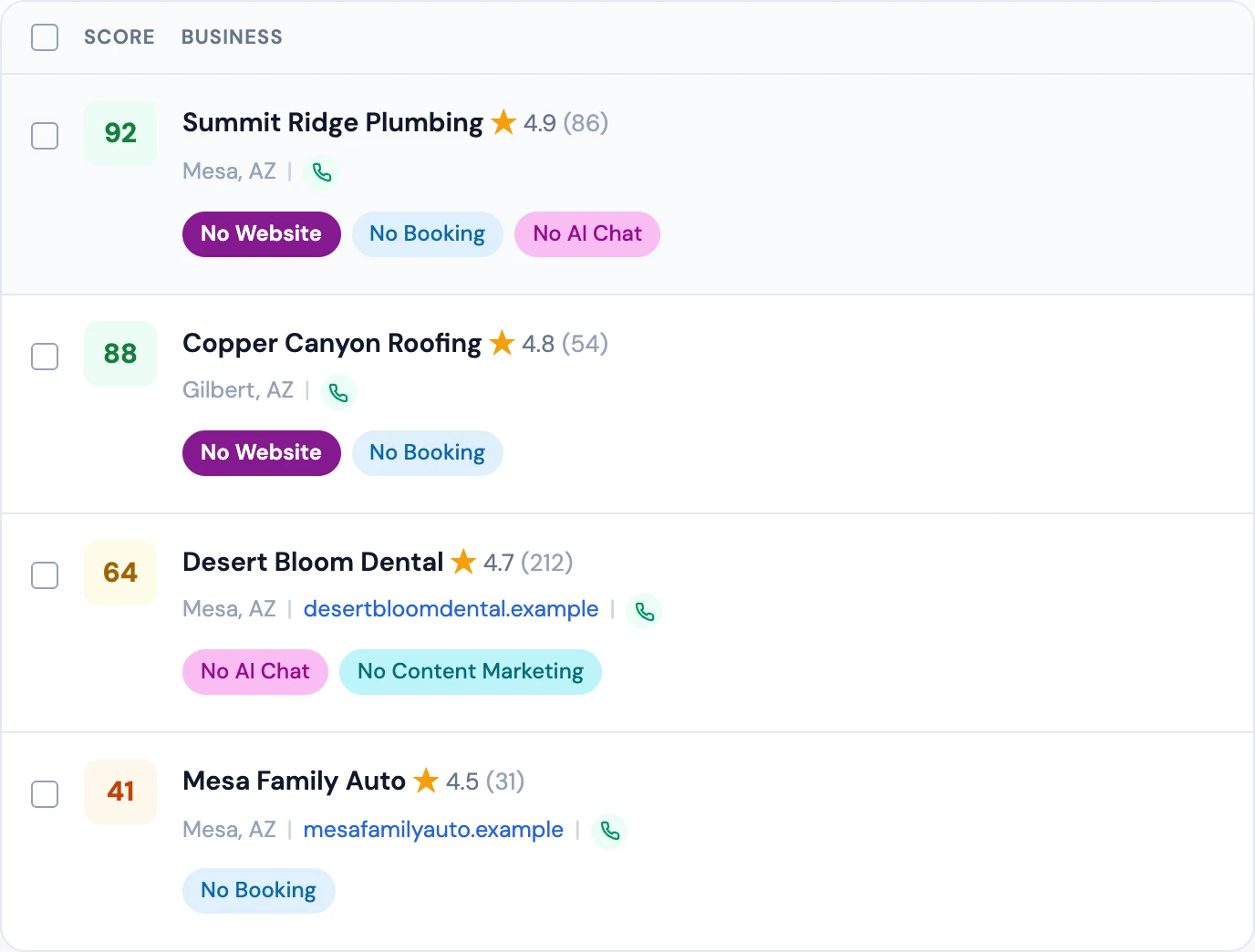
Pick a service and a city, and Radar flags them, scores the rest against what you sell, and builds the report and first message for any of them.
Start your free trialNot every business without a website is worth your time. Skip listings with no reviews and no photos (often closed or brand new), franchise locations (head office owns the website) and trades that run on referrals and are booked solid.
Then look at the review count. More reviews means more people trying to find them, and more people bouncing because there's nowhere to land. A high rating helps too, because an owner who's proud of a 4.8 usually cares how the business looks online. Deal size matters: one new patient is worth a lot more to a dentist than one new customer is to a nail salon, so the site pays for itself faster. Recent photos or an active social media page are a good sign the owner will actually reply.
A business owner who's never had a website doesn't always know what they're missing. "You should have a website" is easy to wave off. A number is harder to ignore.
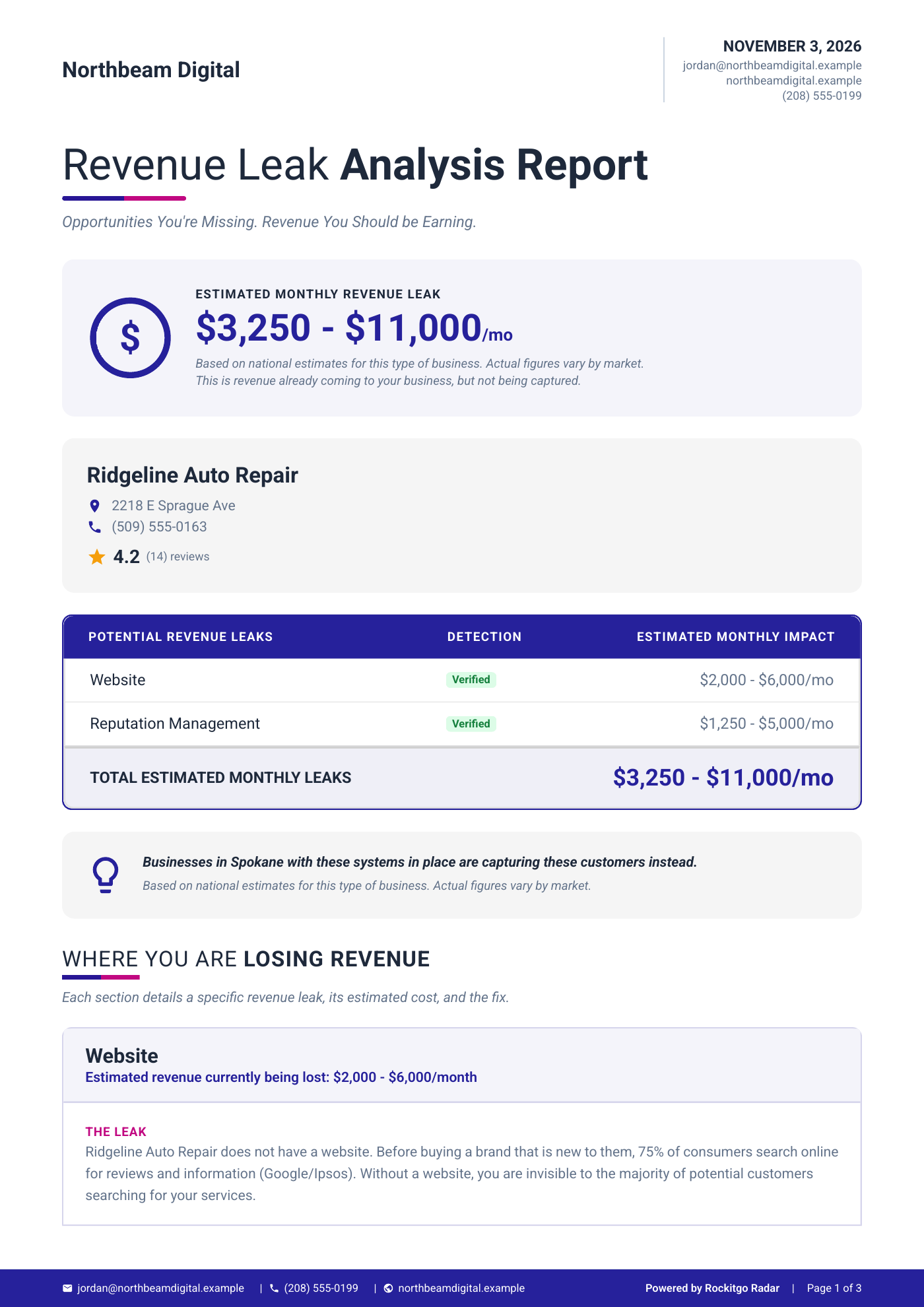
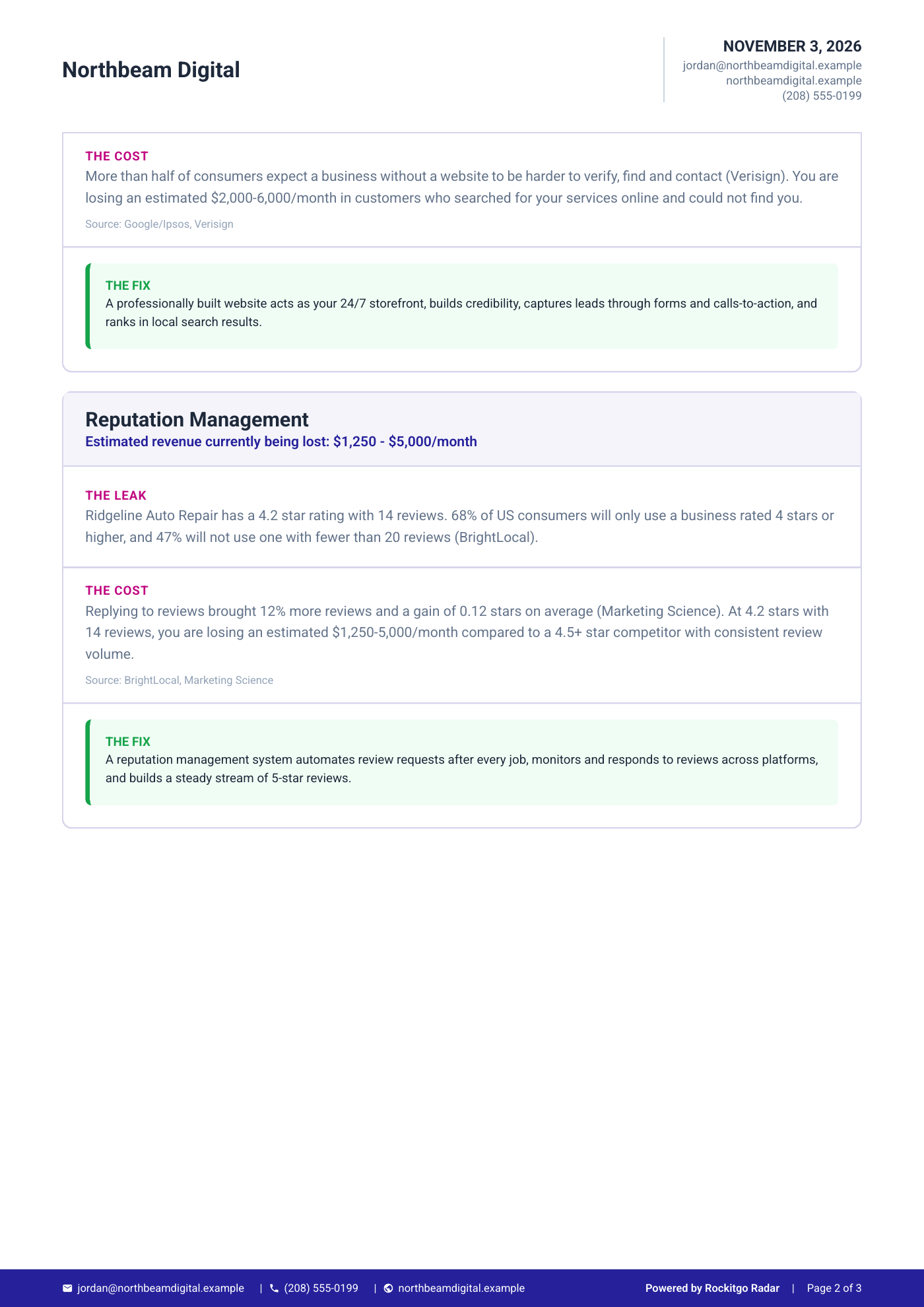
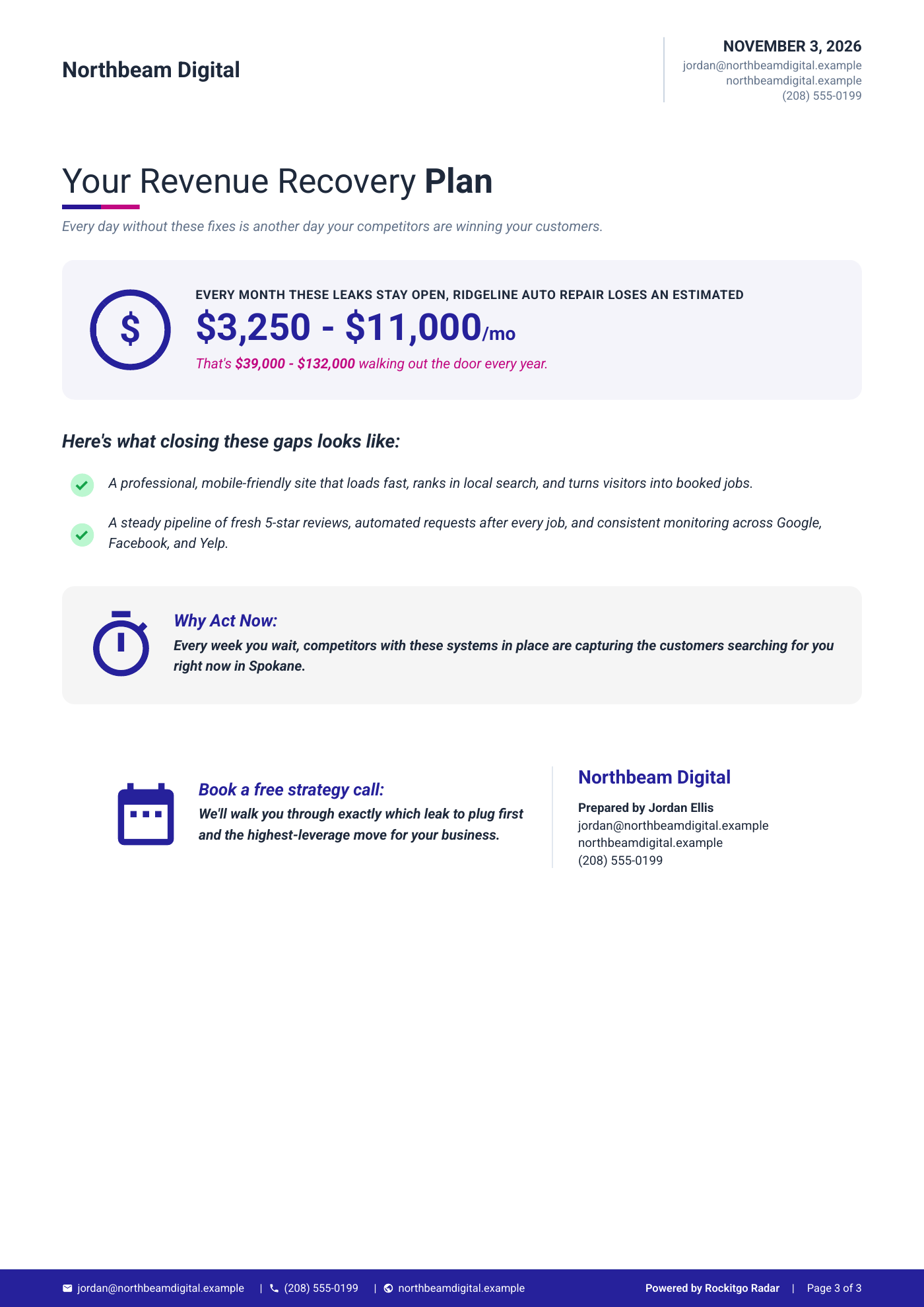
That's what the Revenue Leak Report is for. Pick any lead, choose what goes in it, and Radar builds a report for that business. It pulls in their name, address and rating, then breaks each gap down three ways: the leak, what it's likely costing them in dollars, and the fix. When nearby competitors from the same search are ahead, it shows how they compare, and it ends with a recovery plan and next steps, with your agency's name and contact details on it.
The report only shows the gaps that match what you sell. If you build websites, the missing website is front and center. You can download it as a PDF or send a share link (links expire after 30 days).
No-website businesses are the easiest pitch, but they're the smaller group. Far more businesses have a site that's missing the thing you sell. No online booking, no chat, a site that's slow or breaks on a phone, or no tracking at all.
That's where the Opportunity Score earns its keep. Sort or filter by it, and if you build websites, the businesses that need a new one are easy to pull out. If you sell AI automation, you see the ones with no chat and no booking first. Having no website is one signal out of more than 100.
Want to see how a scan works from start to finish? Here's how Radar works.
Make it about their customers. Open with something they can check in ten seconds, then ask for one small thing. Something like this:
Hi [Name],
When someone in [City] searches for [service], [Business] comes up with [rating] stars and [number] reviews, but there's no website to click through to. That's where most people check prices and hours before they call.
I build websites for [industry] businesses, and I can show you what yours could look like in a 15-minute call. Would Tuesday or Thursday suit you better?
Thanks,
[Your name]
Once you've pulled the report, hit Outreach. Pick the service you're pitching, the channel (email, social DM or text) and the tone: friendly, professional, direct or consultative. Radar writes the message around that gap, with your report link already in it. For a business with no website, the gap it writes about is the missing site. Read it, tweak it if you want, and send.
Search "[service] near me" in a map app and open each listing. The ones with a Call button but no Website button are your starting list. For more than a handful, Rockitgo Radar scans a service across your city, keeps businesses without websites in your results, and flags them so you can see them at a glance.
Search for a service and a city in a map app, like "dentists in Tucson", and open each listing. If there's a Call button and Directions but no Website button, that business probably has no site. Search its name and city online before you pitch, because sometimes the site exists and the listing doesn't link to it.
Yes. Searching map apps, review sites, social media and local directories by hand costs nothing but time. Expect to spend an hour or more on each service and city you cover, because you open every listing yourself. A paid platform is worth it once your time is worth more than the subscription.
Yes. Prospecting platforms do this for you. Rockitgo Radar, for example, scans a service across a city, flags the businesses with no website, and scores the rest against the services you sell. You still decide who to pitch and what to say, but you skip the hours of opening listings one by one.
Look for sites that are slow, break on a phone, have no way to book or contact the business online, or look like nobody's touched them in years. You can check a handful by hand. Radar checks more than 100 signals for each business and scores them against what you sell, so you can filter for the weakest sites first.
Radar scans a service across a city, flags the businesses with no website, scores the rest against your services, and turns any of them into a report and a ready-to-send message.
Start your 7-day free trial
Natalie N. is the founder of Rockitgo Radar. She's a UX/UI product designer with more than 20 years in tech and runs Rockitgo Digital, an agency focused on AI, automations and websites. Her team uses Radar every day to find new clients.